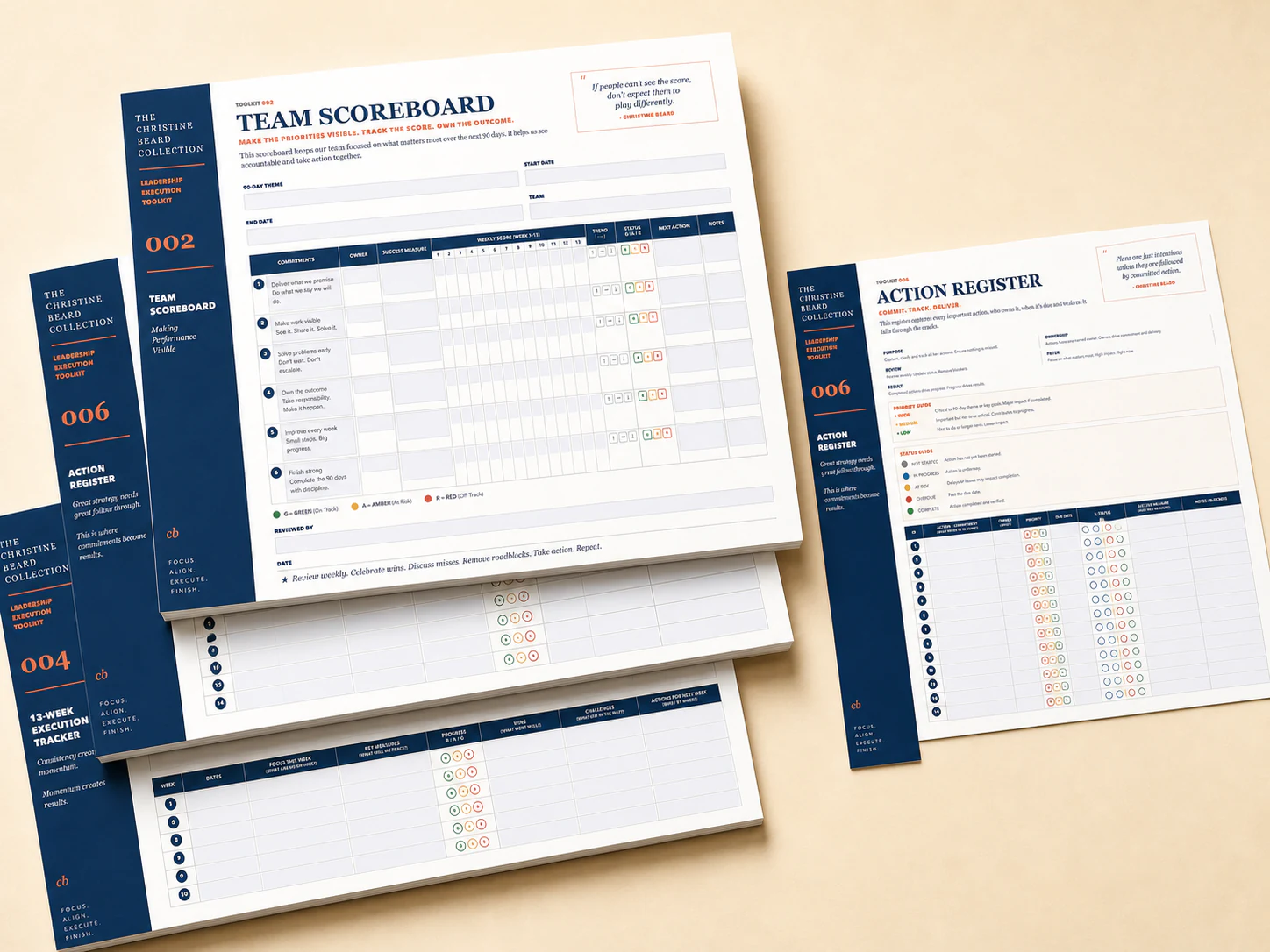
Christine Beard Team Scoreboard, Action Register and 13-Week Execution Tracker
Actual tools included

Leadership Execution System

Move priorities out of your head and into your team

19 field-tested leadership tools for owners and managers tired of checking every action, repeating decisions and carrying every answer themselves.

  • Set priorities the team can act on
  • Give every commitment an owner and review point
  • Run meetings that end in decisions and action
  • Set expectations before performance slips

Built from more than twenty years of real management and coaching conversations with business owners, CEOs and managers.

When every decision still comes back to you

Your leadership meeting ends with nods around the table. By Thursday, the same actions are still sitting untouched, someone is waiting for your sign-off and another manager wants you to make the call they were meant to own. So you chase updates, repeat the same direction and carry the loose ends into another week. The team starts to wait for you instead of thinking, deciding and following through for themselves.

The Leadership Execution System gives managers a shared rhythm for priorities, ownership, decisions and review, so the work keeps moving without everything landing back on your desk.

  • Keep priorities visible from week to week
  • Give each action a named owner and review point
  • Run meetings that end in decisions and next steps
  • Review progress using evidence instead of memory

Same management system. Two ways to work with it.

The Foundation Toolkit is the complete 19-tool PDF system. The Interactive Toolkit adds 16 browser-based working tools for teams who want to keep using the system digitally.

Foundation Toolkit

Put the complete system in your team’s hands

A$297 one-off

For leaders who want the complete 19-tool PDF system to print, share and use throughout the business.

Included

  • 19 tools for priorities, meetings, accountability and performance
  • Downloadable PDFs ready to print, share and use with your team
  • Use throughout one organisation with managers and employees
  • Relevant companion videos that show the tools in context
Buy the Foundation Toolkit for A$297
Interactive Toolkit

Keep priorities moving between meetings

A$497 one-off

For leaders who want the complete PDF system plus 16 browser tools they can update as work moves.

Everything in the Foundation Toolkit, plus

  • 16 browser tools for priorities, actions, planning and progress
  • Keep every change automatically saved on the current device
  • Return to earlier versions of your work using dated browser history
  • Download completed copies for meetings, sharing and future reviews
Buy the Interactive Toolkit for A$497

This is not a random library of downloads.

19 practical tools for turning priorities, measures, meetings, management conversations and agreed actions into a rhythm people can actually follow.

  1. Establish directionMake the destination and priorities defined.
  2. Define what success looks likeRemove ambiguity around standards and expectations.
  3. Turn priorities into a weekly rhythmKeep the important work visible.
  4. Measure what mattersUse evidence rather than memory or optimism.
  5. Hold useful accountability meetingsResolve issues and turn talk into action.
  6. Prepare for better conversationsMake one-on-ones and decisions worth the time.
  7. Build leadership capabilityDevelop the shoulders beneath the person at the top.
  8. Capture organisational wisdomMake sure the thinking survives the people who created it.

The same problems returning every week

  • Actions disappearing between meetings.
  • Dashboards describing the business without changing it.
  • Managers handing problems upward instead of bringing their thinking.
  • Different managers applying the same standard five different ways.
  • Critical knowledge living only inside one person's head.
  • The owner becoming the organisation's permanent answer machine.
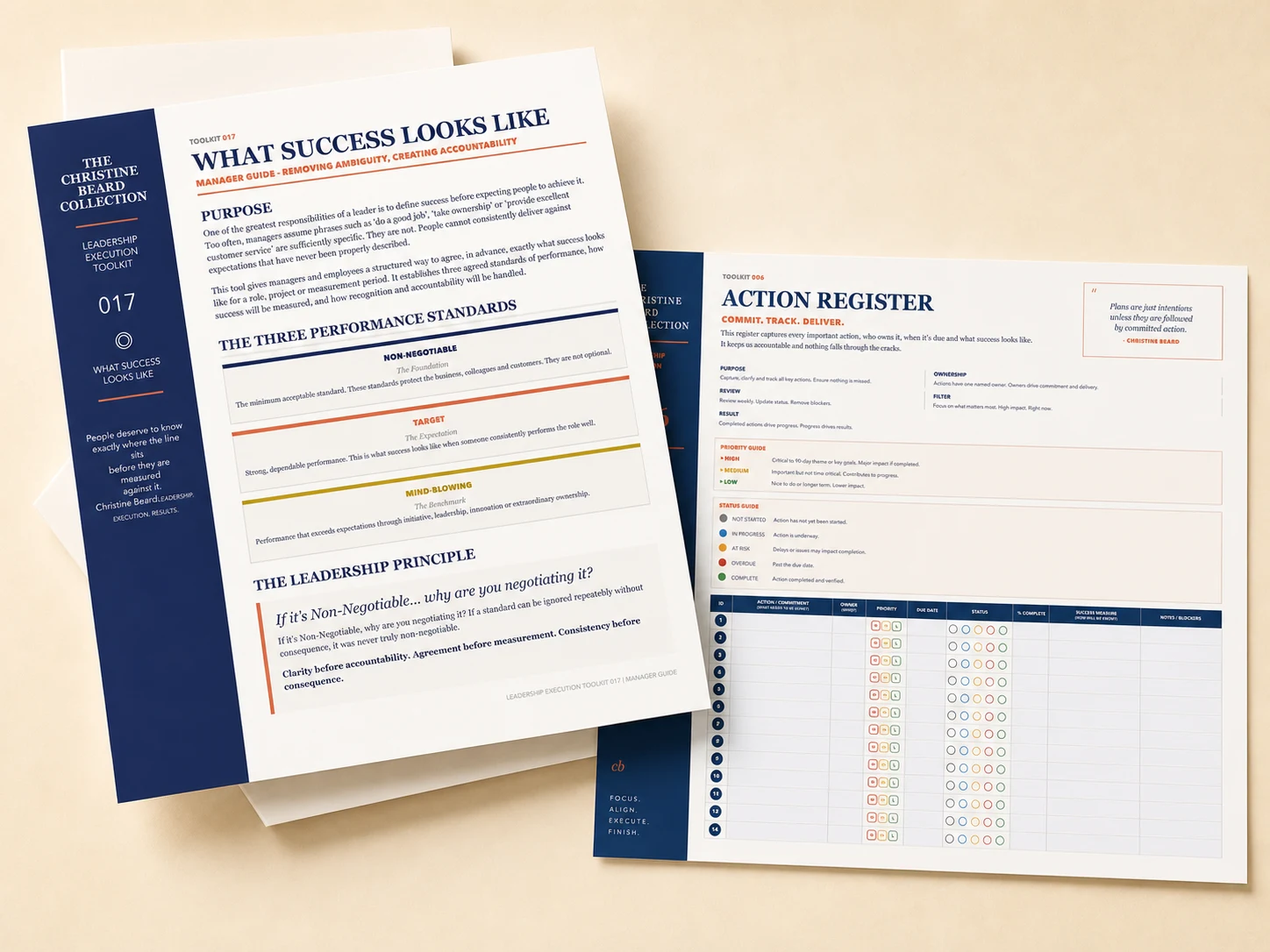
Christine Beard What Success Looks Like guide and Weekly Accountability Meeting working tools

See the tools your team will actually use

Both toolkits bring planning, scoreboards, meeting rhythms, action tracking, performance standards and review tools into one connected operating system.

  • 90 Day Theme and 13-Week Execution Tracker
  • Team Scoreboard and KPI Dashboard
  • Weekly Accountability Meeting and Action Register
  • One-on-one planning and Employee Progress Journey
  • What Success Looks Like for managers and employees
  • Progress Tracker and business health reviews

Editable and fillable formats where they improve the work

Some documents are designed to read or refer to. Others need to be completed, updated and revisited by managers and employees.

Where appropriate, working tools will be supplied in editable and fillable formats instead of forcing people to print and write into fixed boxes.

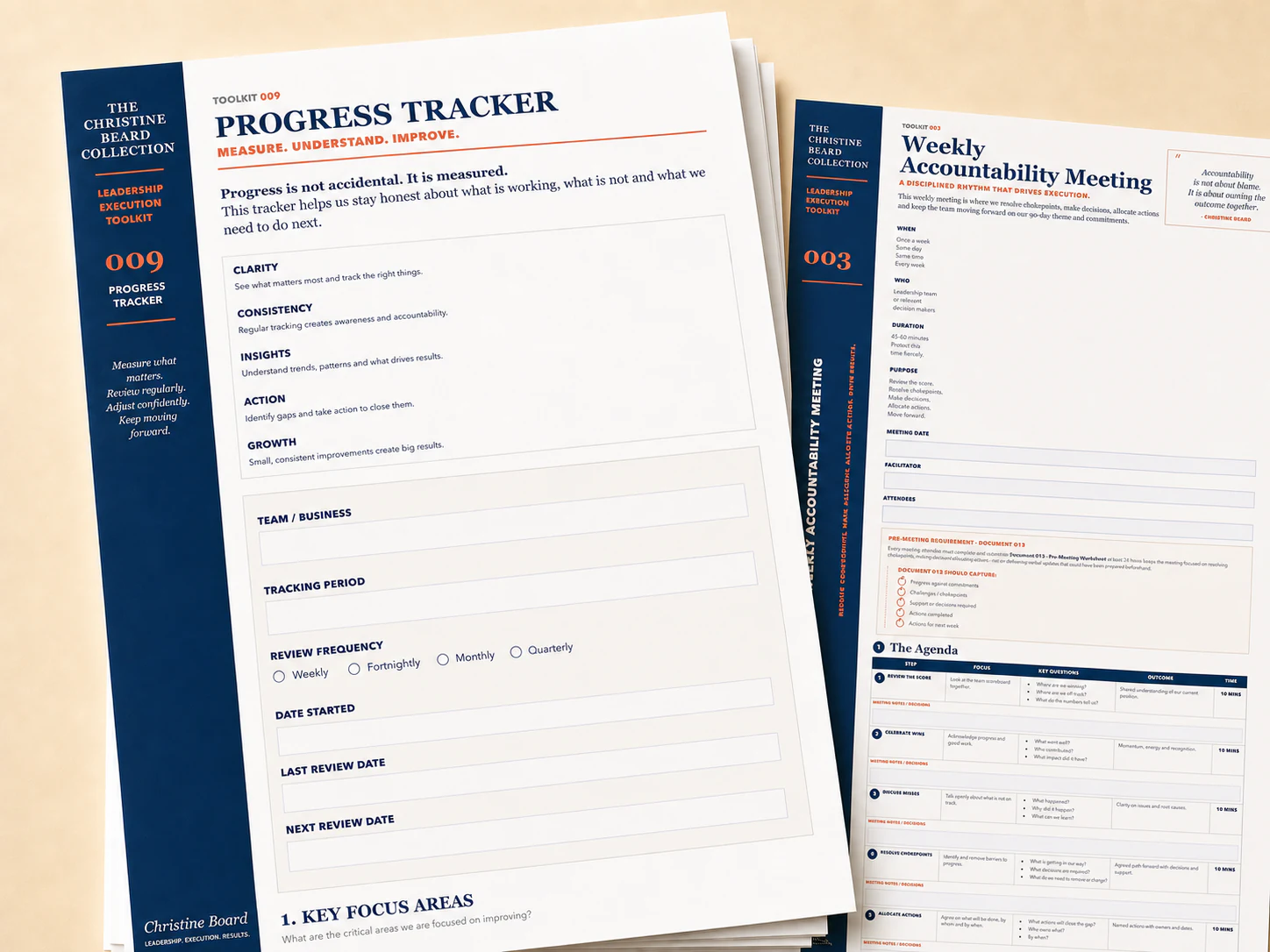
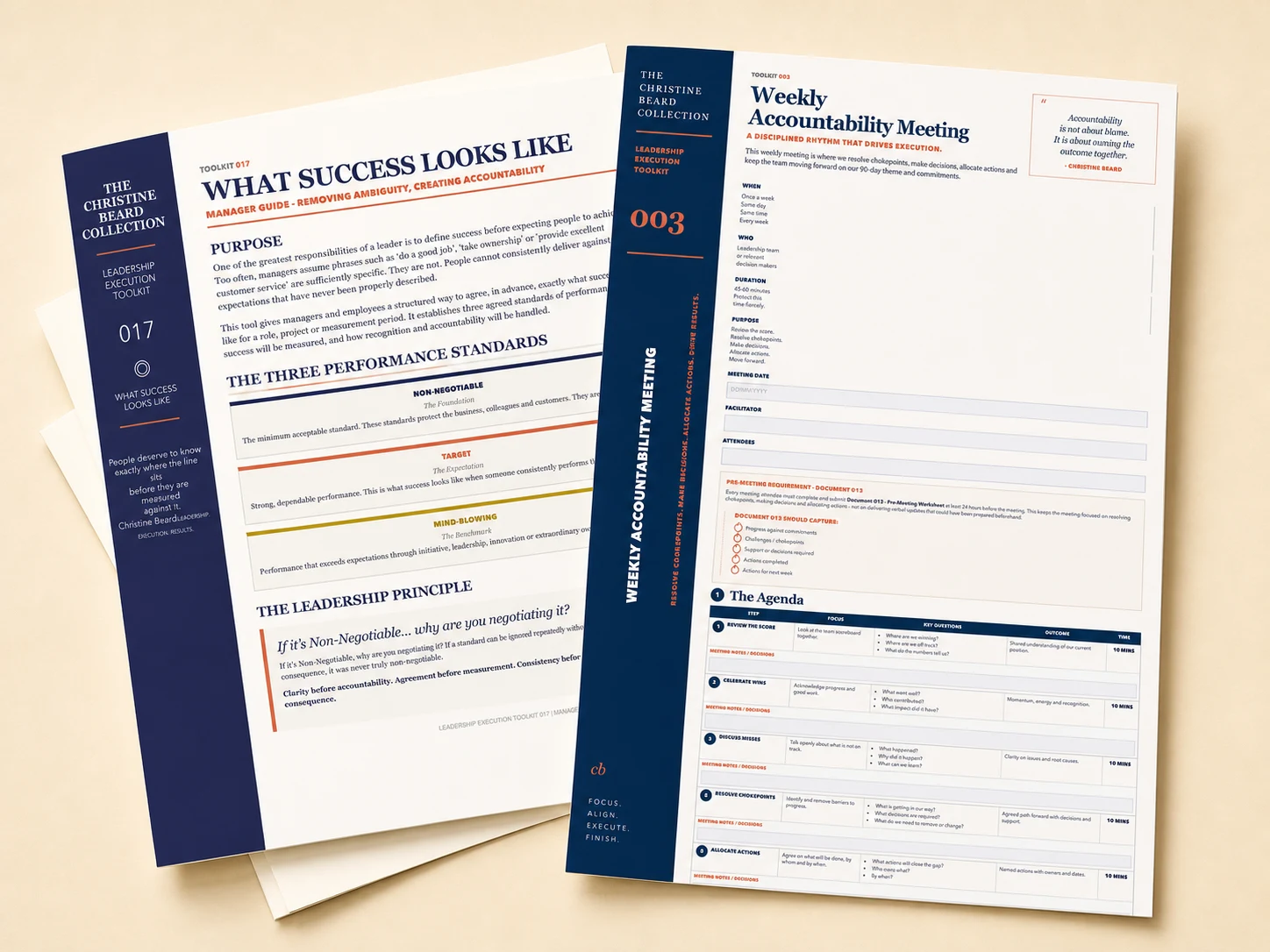
Christine Beard Progress Tracker and Weekly Accountability Meeting working tools
Progress Tracker and Weekly Accountability Meeting

Working tools for the management rhythm

The resources are organised around the work leaders and managers need to repeat, not around lessons to complete.

Purple and green watercolour figures with elongated reflections
Passing CurrentsOriginal artwork by Christine Beard, 2025. Watercolour on paper.
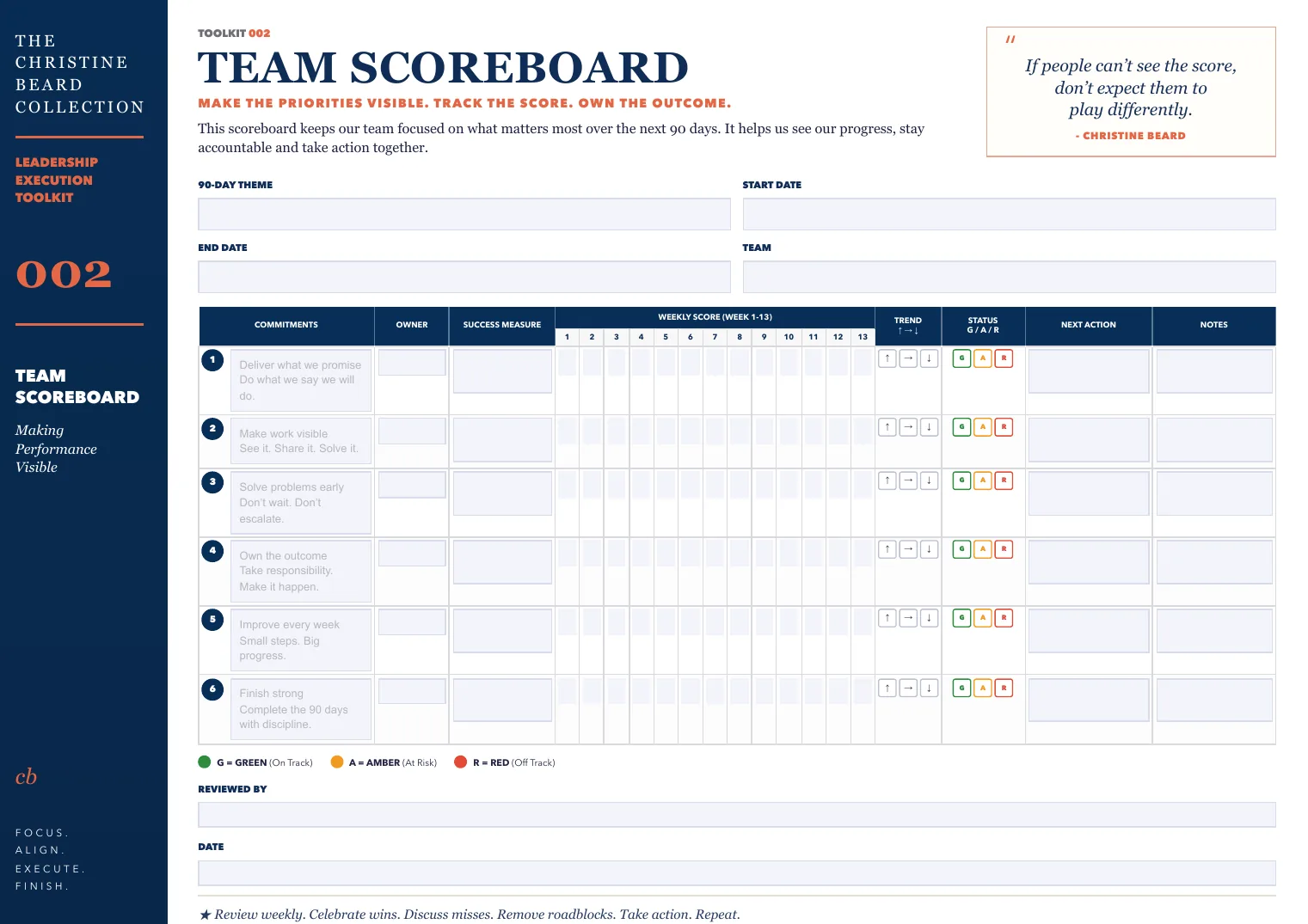
Team Scoreboard
Team Scoreboard
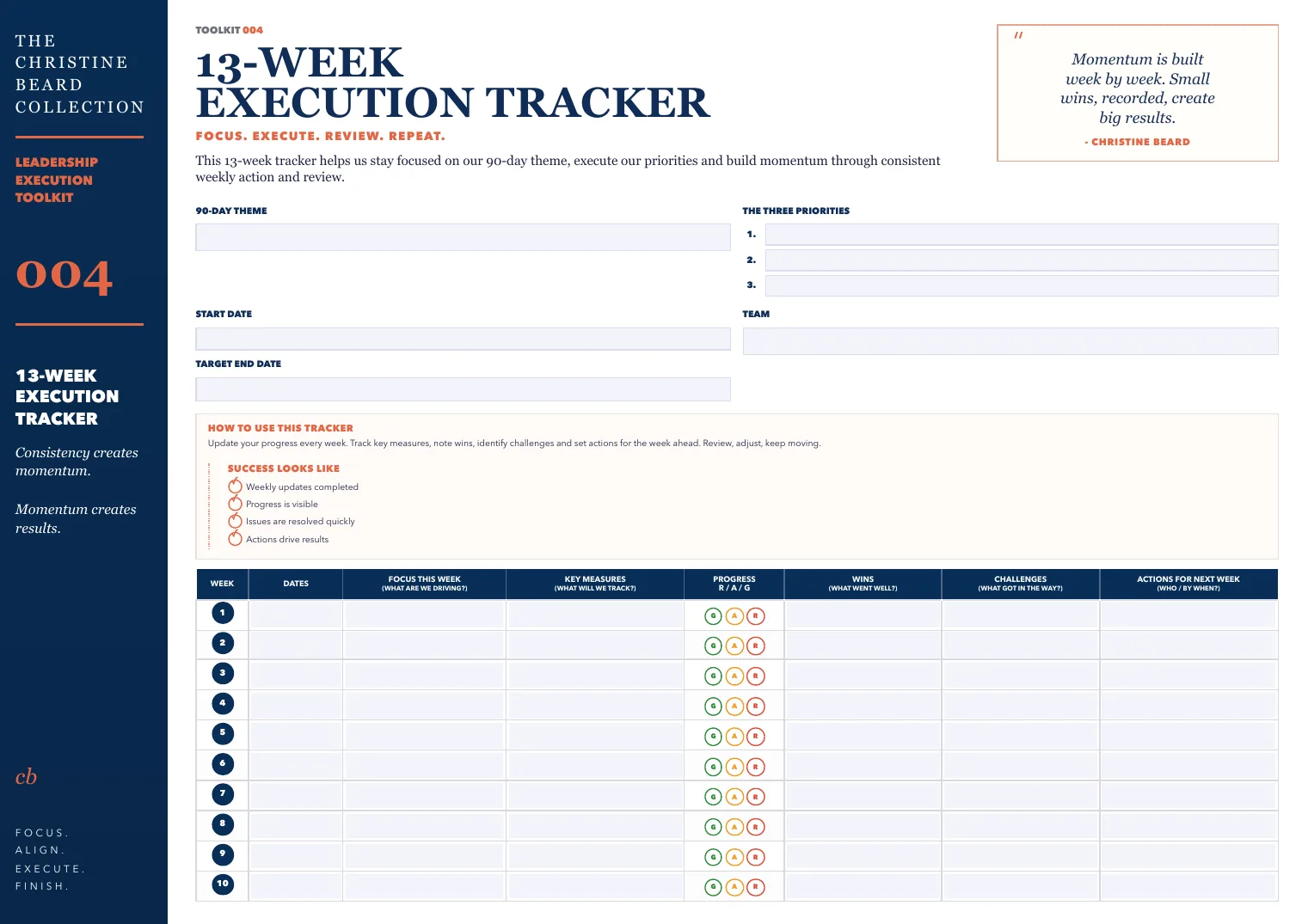
13-Week Execution Tracker
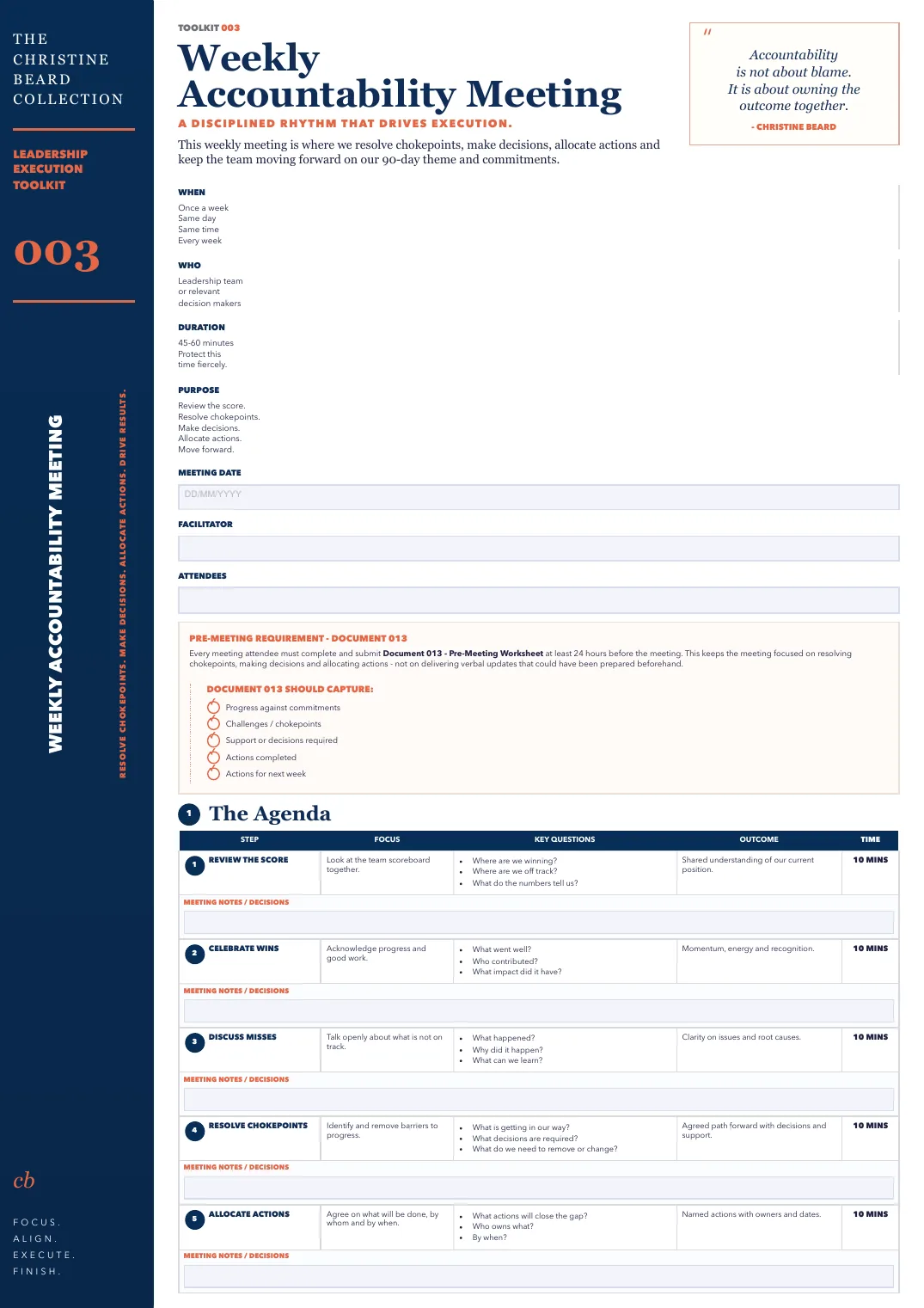
Weekly Accountability Meeting
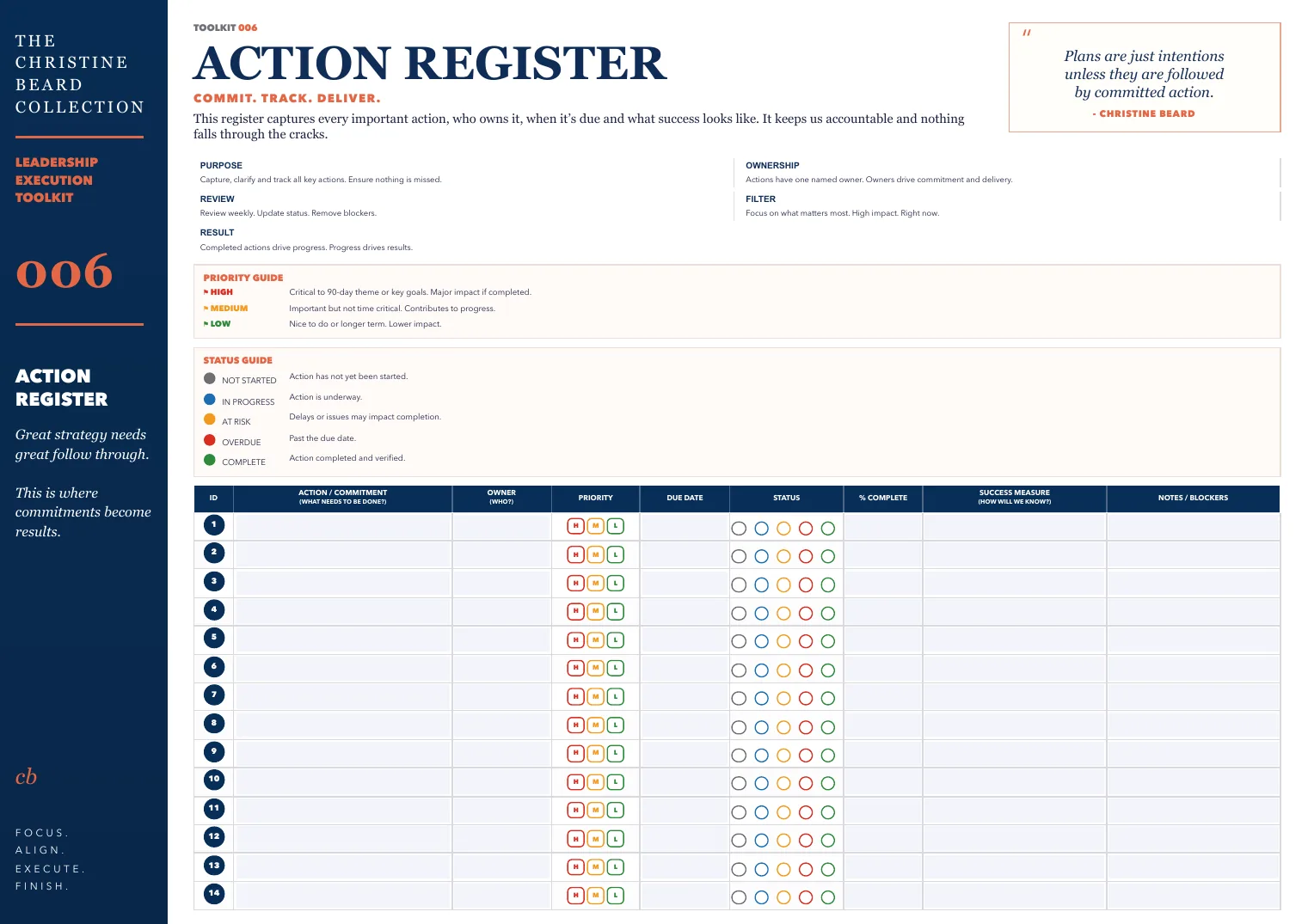
Action Register
Action Register

Direction and planning

  • 90 Day Theme
  • Annual Planning System
  • Quarterly Review Workbook
Set the direction

Visibility and measures

  • Team Scoreboard
  • KPI Dashboard
  • CEO Business Health Dashboard
  • Progress Tracker
See what is happening

Meetings and action

  • Weekly Accountability Meeting
  • 13 Week Execution Tracker
  • Action Register
  • Pre Business Meeting Worksheet
Turn talk into action

Capability and standards

  • Manager and employee one-on-one tools
  • Employee Progress Journey
  • Manager and employee What Success Looks Like
Build better managers

Two tools to notice

How the system connects. How managers put it into practice.

000Start here

Leadership Execution Cycle Guide

See how the tools connect into one management rhythm.

Inside the cycle19 numbered tools (001-019), including Employee and Manager versions of 012 and 017, plus the separate 000 Leadership Execution Cycle Guide. Sixteen tools also have Interactive browser versions.

019Facilitate

One-on-One Meeting Facilitation Guide for Managers

Not another one-on-one worksheet. It explains how a manager actually facilitates a useful one-on-one conversation.

See all 19 tools
  1. 001The 90-Day Theme
  2. 002Team Scoreboard
  3. 003Weekly Accountability Meeting
  4. 00413-Week Execution Tracker
  5. 005KPI Dashboard
  6. 006Action Register
  7. 007Quarterly Review Workbook
  8. 008Annual Planning System
  9. 009Progress Tracker
  10. 010CEO Business Health Dashboard
  11. 011Pre-Meeting Report Coaching
  12. Employee: Pre One-on-One Meeting Worksheet for Employees
    Manager: One-on-One Meeting Companion for Managers
  13. 013Pre Business Meeting WorksheetDesigned to prepare the discussion before Tool 003, the Weekly Accountability Meeting.
  14. 014Leadership Progress Journey Coaching
  15. 015Employee Progress Journey
  16. 016Decision Knowledge Capture Framework
  17. Employee: What Success Looks Like for Employees
    Manager: What Success Looks Like for Managers
  18. 018Toolkit Index and Quick Reference
  19. 019One-on-One Meeting Facilitation Guide for Managers

Watch the idea, then put the connected tools to work

See the idea, watch the explanation, use the working tool and put it into practice.

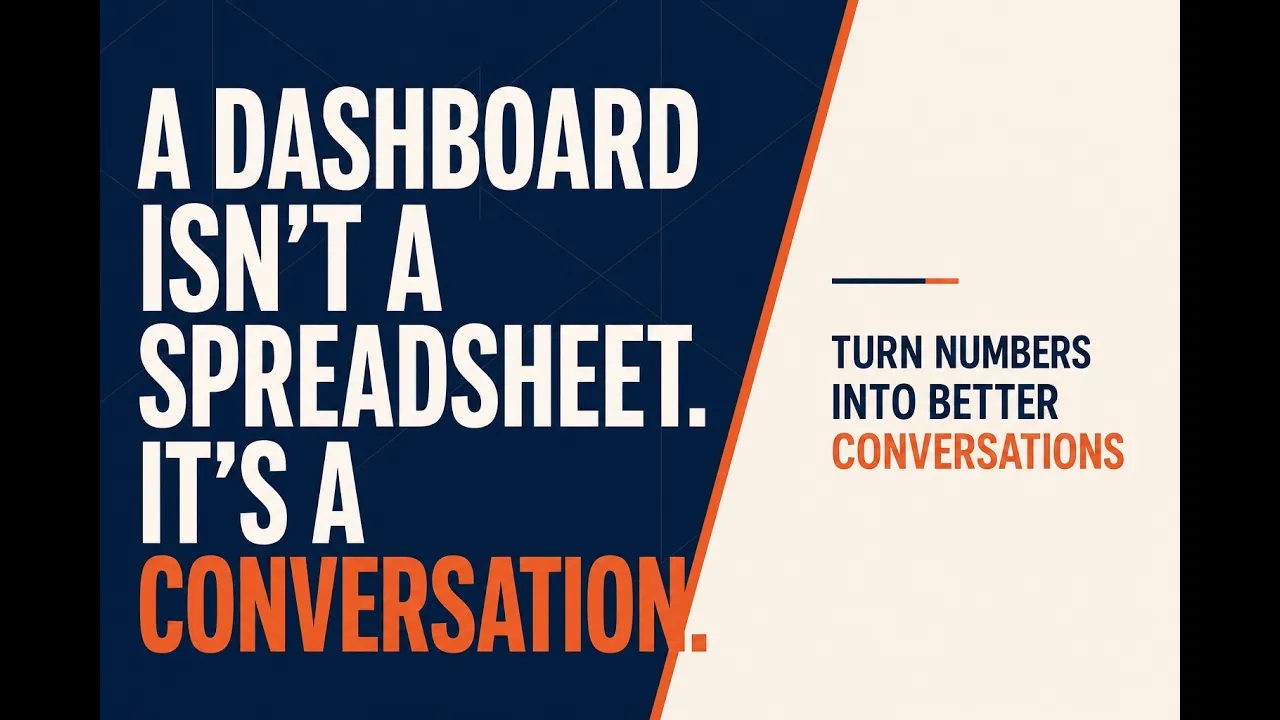
Designed thumbnail reading A dashboard isn't a spreadsheet. It's a conversation.

Dashboards and management conversations

Your Dashboard Isn't Managing Anything. Are You?

Use the idea with Tool 005 KPI Dashboard, Tool 002 Team Scoreboard and Tool 010 CEO Business Health Dashboard.

“That’s a brilliant description of what, why and how a dashboard should be used. It nailed all the points that we are missing and highlighted the way to bring this team together to deliver meaningful results.”

Business Owner
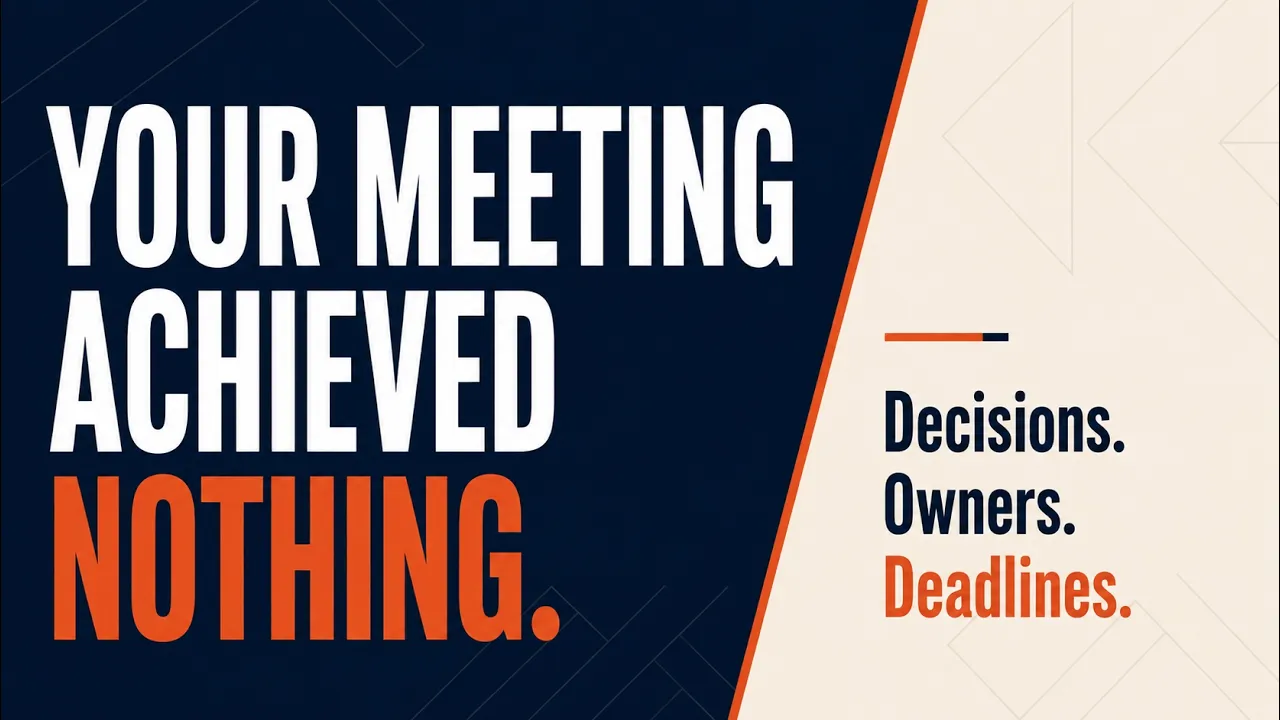
Designed thumbnail reading Your meeting achieved nothing. Decisions. Owners. Deadlines.

Meetings that finish in action

Your Weekly Meeting Should Turn Talk Into Action

Tool 013 prepares the right discussion before Tool 003 runs the Weekly Accountability Meeting. Tool 002 brings the measures, Tool 006 captures actions and Tool 004 keeps the 13-week plan moving.

Designed thumbnail reading Job descriptions aren't enough. Tell people what great looks like.

Performance without ambiguity

What Success Looks Like: The Missing Piece in Managing Performance

Use the idea with the employee and manager versions of Tool 017, the employee and manager versions of Tool 012, Tool 015 Employee Progress Journey and Tool 019 One-on-One Meeting Facilitation Guide for Managers. Tool 017 makes performance observable through Non-Negotiable, Target and Mind-Blowing Target levels.

“This is what I need. This is the bit Christine provides. It isn’t just KPIs. It’s the people component.”

Business Owner
A system only comes to life when you meet with discipline, clarity and commitment.
Christine Beard

What you need to know before choosing

Compare the two Toolkits, understand how delivery and browser saving work, and review the support and refund position.

Choosing your Toolkit

What is included in the Foundation Toolkit?

The complete 19-tool Leadership Execution System as downloadable PDFs, ready to print, share and use throughout the purchasing organisation.

What is included in the Interactive Toolkit?

Everything in the Foundation Toolkit, plus protected access to 16 browser-based working tools with automatic saving, dated history and downloadable completed copies.

What is the difference between them?

Both contain the same complete management system. The Foundation Toolkit supplies the tools as PDFs. The Interactive Toolkit adds digital tools you can keep updating between meetings.

Do I need the Interactive Toolkit?

Choose the Foundation Toolkit if you want PDFs to print, share and work through with your team. Choose the Interactive Toolkit if you also want to maintain the working tools digitally as priorities and actions change.

Can my whole business use the Toolkit?

Yes. One purchase covers use inside the organisation that buys the Toolkit, including its managers and employees. It does not cover unrelated client organisations.

Is this a subscription?

No. Both Toolkits are one-off purchases with indefinite use inside the purchasing organisation.

Delivery, working and support

How will I receive the PDFs?

After purchase, the PDFs are supplied through a secure digital download. The Interactive Toolkit includes the same PDF download plus protected access to the browser tools.

How do the interactive tools save my work?

Each interactive tool saves entries and dated history in the current browser on the current device. There is no automatic account sync.

Can I print the tools?

Yes. Both Toolkits include the complete PDF system, ready to print and copy for use throughout the purchasing organisation.

What happens if I change browser/device?

Your browser entries and history do not automatically move with you. Download completed copies before changing device, switching browser or clearing browser data, and use the same device and browser for ongoing work.

What support is available?

Purchase and access support is available at support@christinebeard.com.au for help with payment, delivery or access. It is not a coaching or general business enquiry service.

What is the refund policy?

There are no change-of-mind refunds after digital delivery or access. This does not remove rights that apply under Australian Consumer Law.